Students have more to manage than just homework. Classes, assignments, exams, projects, notes, group work, and personal commitments can quickly become difficult to track. A good productivity app can reduce some of that friction by putting schedules, tasks, notes, and reminders in one place.
The best productivity apps for students are not necessarily the ones with the longest feature lists. The right choice depends on how you study and what tends to cause problems. Someone who forgets deadlines may need a task manager, while a student with scattered notes may benefit more from a strong note-taking app.
The goal is simple: use technology to make studying more organized, not to create another system that takes more time to maintain.
What Are Productivity Apps for Students?
Productivity apps are digital tools designed to help you organize tasks, manage time, record information, plan projects, or maintain focus.
For students, these apps can cover several everyday needs:
- Creating assignment lists
- Tracking deadlines
- Building study schedules
- Taking and organizing notes
- Setting reminders
- Managing group projects
- Blocking distractions
- Tracking habits
- Storing important documents
You do not need an app for every task. In fact, using too many productivity tools can make things more complicated. A small setup that you actually use is usually more practical than a collection of sophisticated apps.
Why Students Benefit From Productivity Apps
A written assignment deadline can be easy to forget when it is mixed with dozens of other responsibilities. A digital task list gives you a visible record of what needs to happen and when.
Productivity apps can also help turn large assignments into smaller actions. Instead of writing “study biology” on a task list, you could create separate tasks for reviewing chapter notes, making flashcards, practicing questions, and reviewing mistakes.
That distinction matters because specific tasks are easier to start.
Another advantage is having information available across devices. If your notes or schedule are stored in the cloud, you may be able to access them from a laptop, tablet, or phone instead of carrying everything with you.
Key Features to Look For
Before choosing an app, think about the problem you are trying to solve.
Task Management
A useful task manager should make it easy to create assignments, add due dates, and mark completed work. Recurring tasks can also help with weekly study routines.
Calendar Integration
Calendar features are particularly useful when your academic schedule changes frequently. You can see classes, exams, appointments, and study sessions together.
Notes and Organization
If your main challenge is keeping track of lecture material, look for features such as folders, tags, search, attachments, and synchronization.
Reminders
Reminders are useful for deadlines that cannot afford to slip through the cracks. Avoid creating dozens of alerts, though. Too many notifications can become background noise.
Cross-Device Sync
Students often move between phones, computers, and tablets. Synchronization can make it easier to continue working wherever you are.
Focus Features
Some productivity apps include timers, focus sessions, or distraction-blocking features. These can be useful when your biggest problem is getting started.
Best Productivity Apps for Students
There is no single app that is perfect for every student. Here are several popular categories and the situations where they can be useful.
1. Todoist for Assignment and Task Management
Todoist is built around tasks and projects, making it useful for students who want a straightforward way to track coursework.
You can organize tasks by subject, add deadlines, and break larger projects into smaller steps. For example, a research assignment could be divided into choosing a topic, finding sources, creating an outline, writing a first draft, and proofreading.
Best for: Students who frequently forget assignments or deadlines.
Potential limitation: If you only need a simple daily checklist, its broader project features may be more than necessary.
2. Google Calendar for Scheduling
Google Calendar can work well for students who think in terms of dates and time blocks.
You can create separate calendar entries for classes, exams, assignment deadlines, study sessions, and other commitments. A weekly view can also reveal whether you have realistically left enough time for studying.
Best for: Students who need better control over their schedules.
Potential limitation: A calendar shows when something happens, but it is not always the best tool for managing all the individual steps of a large assignment.
3. Notion for Notes and Academic Organization
Notion allows users to combine notes, databases, task lists, documents, and other information in customizable workspaces.
For students, this can mean creating a workspace for each semester, with pages for subjects, lecture notes, reading lists, assignments, and exam preparation.
Its flexibility is also its biggest trade-off. Building a complicated workspace can become a productivity project of its own.
Best for: Students who enjoy customizing their organization system.
Potential limitation: It can take time to design and maintain a complex setup.
4. Microsoft OneNote for Digital Notes
OneNote is designed around digital notebooks, sections, and pages. This structure can feel natural for students who want separate areas for different classes.
You can combine typed notes with images, drawings, files, and other material depending on your device and workflow.
Best for: Students who take extensive class notes.
Potential limitation: Students who prefer extremely simple note-taking may find notebook organization more than they need.
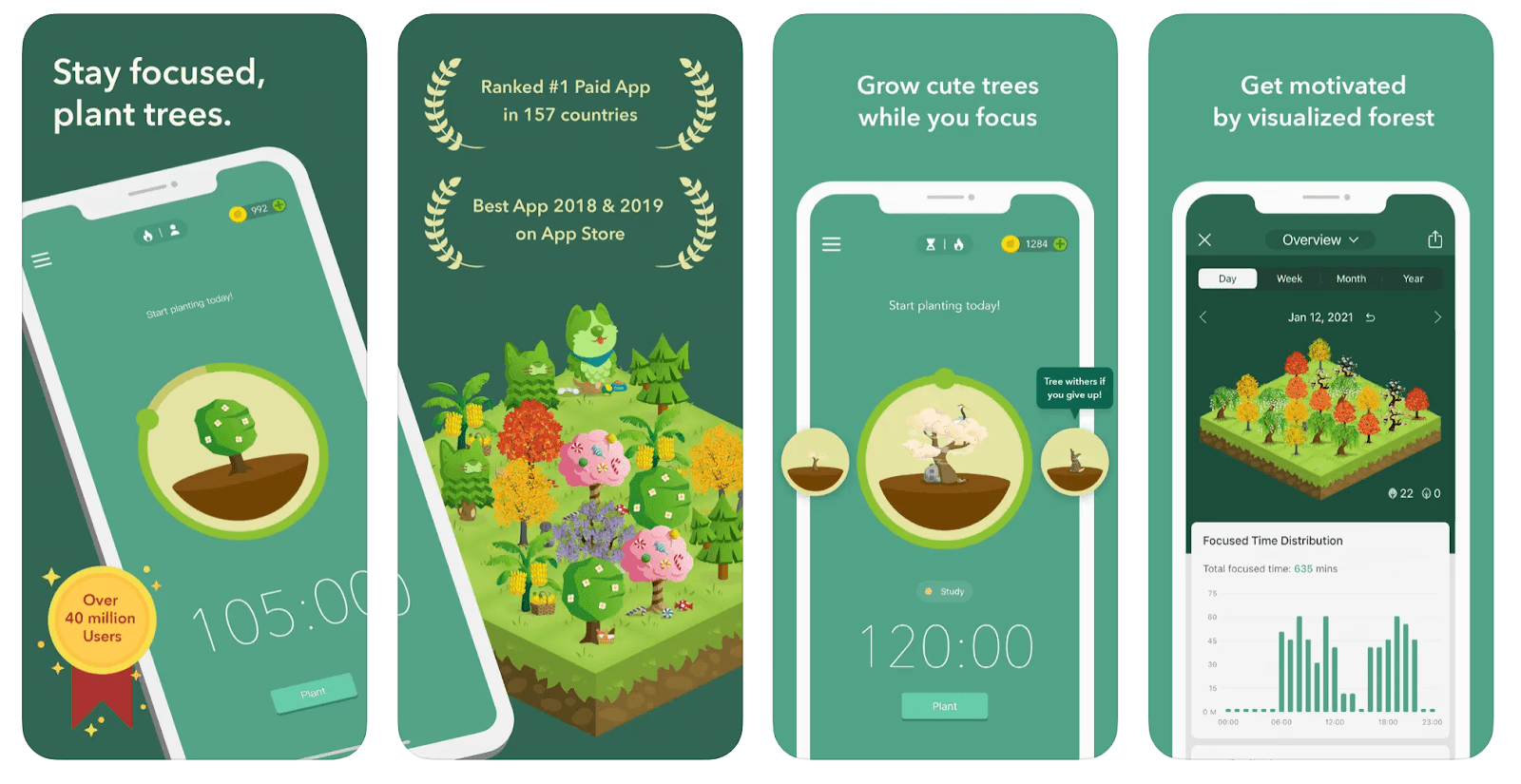
5. Forest for Focus Sessions
Forest uses a simple focus-session concept: you start a session and try to stay away from distracting activities while the session runs.
The idea is less about managing assignments and more about creating a focused period for reading, writing, or revision.
Best for: Students who struggle with phone distractions.
Potential limitation: A focus timer cannot replace a realistic study plan.
6. Google Keep for Quick Notes and Reminders
Google Keep is useful for capturing information quickly. You can create short notes, lists, reminders, and other simple entries.
It can work particularly well for temporary information, such as a list of topics to research or things you need to remember before the next class.
Best for: Students who want quick, lightweight notes.
Potential limitation: It is less suited to managing large collections of detailed academic notes.
7. Trello for Group Projects
Trello uses boards, lists, and cards to organize work visually. A student group could create columns such as “To Do,” “In Progress,” “Review,” and “Completed.”
Each card can represent a particular task or part of a project.
Best for: Students working on collaborative assignments.
Potential limitation: A visual board may not be necessary for simple individual assignments.
How to Build a Simple Student Productivity System
You do not need to install every app mentioned above. Start by identifying your biggest problem.
Step 1: Identify Your Main Bottleneck
Ask yourself what usually goes wrong.
Do you:
- Forget deadlines?
- Lose notes?
- Procrastinate?
- Underestimate how long assignments take?
- Struggle with group projects?
- Get distracted by your phone?
Choose an app based on that problem.
Step 2: Use One Main Task System
Pick one place for assignments and deadlines. If your tasks are scattered between messages, notebooks, screenshots, and different apps, you can easily miss something.
Your system should answer one question quickly: What do I need to do next?
Step 3: Break Large Assignments Into Actions
Avoid vague tasks such as “finish project.”
Instead, create manageable steps:
- Choose topic
- Research sources
- Create outline
- Write introduction
- Complete first draft
- Edit citations
- Proofread
- Submit
This makes progress easier to see and reduces the mental effort required to begin.
Step 4: Schedule Realistic Study Sessions
A common mistake is filling every available hour with study plans.
Leave room for meals, travel, breaks, unexpected work, and rest. A schedule that is slightly flexible is easier to maintain than one that assumes every day will go perfectly.
Step 5: Review Your System Weekly
Spend a few minutes checking upcoming deadlines and unfinished tasks.
Move tasks that genuinely need more time, remove things that no longer matter, and identify the most important work for the coming week.
Common Productivity Mistakes Students Make
Using Too Many Apps
Installing six productivity apps does not automatically make your workflow better. Each additional tool creates another place to check.
Start with one calendar, one task system, and one note-taking solution if those cover your needs.
Spending More Time Designing Than Studying
Custom dashboards and elaborate templates can be enjoyable, but they should support your work rather than replace it.
If setting up your productivity system takes longer than completing your daily planning, simplify it.
Treating Every Task as Equally Important
A list containing ten tasks does not tell you which one matters most.
Use deadlines, importance, and estimated effort to determine priorities. A short task due tomorrow may deserve attention before a larger project due next week.
Creating Too Many Notifications
Constant reminders can become distracting. Keep alerts for genuinely important deadlines and commitments.
Planning Without Checking Reality
If you consistently plan four hours of studying after a full day of classes, the problem may not be motivation. Your schedule may simply be unrealistic.
Track how long common tasks actually take, then use that information when planning future work.
Practical Tips for Getting More From Productivity Apps
Keep your system simple. If you need a complicated explanation to describe where something belongs, your system may be too complicated.
Use deadlines carefully. A deadline tells you when something must be finished. A study session tells you when you intend to work on it. Keeping those concepts separate can make planning clearer.
Review tomorrow’s work tonight. A two-minute review can make the next morning much easier.
Group tasks by subject. This can reduce the time spent switching between unrelated types of work.
Use automation where it genuinely helps. Recurring tasks can save time for weekly activities such as reviewing notes or preparing for regular classes.
Do not ignore offline tools. A paper notebook, printed calendar, or simple checklist can sometimes be more effective than another app. Productivity is about reducing friction, not collecting software.
How to Choose the Right App for Your Study Style
If you frequently forget assignments, start with a task manager.
If your schedule is the main problem, use a calendar.
If your notes are difficult to find, prioritize a structured note-taking app.
If phone distractions are keeping you from studying, a focus tool may be more useful than another planning application.
For group projects, a shared board or collaborative workspace can make responsibilities clearer.
The key is to match the tool to the problem instead of choosing an app simply because it has more features.
Frequently Asked Questions
What are the best productivity apps for students?
The best productivity apps for students depend on their needs. Task managers, calendars, note-taking apps, and focus tools each solve different problems.
Are productivity apps actually useful for students?
They can be useful when they solve a specific organizational problem. An app is less helpful when it adds unnecessary complexity or becomes another source of distraction.
Can students use productivity apps for free?
Many productivity apps offer free plans or basic features without requiring payment. However, available features and limits can change, so check the current plan before relying on a particular feature.
Should students use multiple productivity apps?
Yes, but only when each app has a clear purpose. For many students, one calendar, one task manager, and one note-taking tool are enough.
How can productivity apps help with exams?
Students can use them to schedule revision sessions, organize study materials, create task lists, and set reminders for upcoming exams.
What is the best productivity app for students who procrastinate?
A focus timer can help create a defined period for concentrated work. However, breaking an assignment into smaller tasks and choosing a realistic starting point can be just as important.
Can productivity apps replace a study schedule?
Not completely. An app can help you organize a schedule, but you still need to decide how much time you can realistically devote to studying and when you should take breaks.
Final Thoughts
The best productivity apps for students are the ones that make academic work easier to organize without becoming a distraction themselves.
You do not need a sophisticated digital system. Start with the problem that causes you the most trouble, choose one tool that addresses it, and use that tool consistently. Once the basic system works, you can add features or another app only when there is a genuine need.
Good productivity is less about doing more and more about knowing what needs attention, when it needs attention, and what your next step should be.